


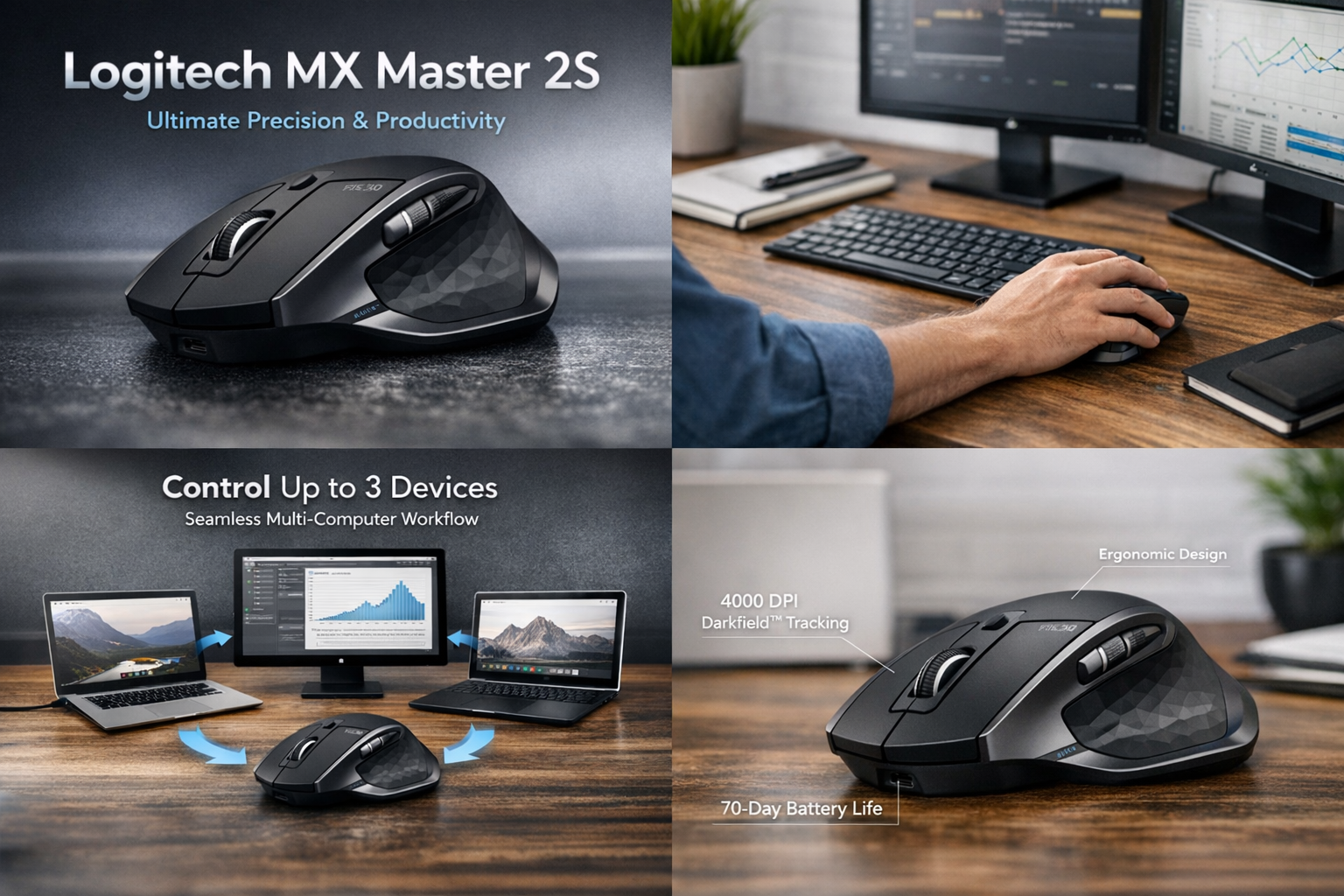
The Logitech MX Master 2S remains one of the best-performing wireless mice on the market, even years after its release. Designed for professionals, content creators, and multitaskers, this mouse delivers outstanding precision, ergonomic comfort, and advanced functionality. Its seamless multi-device connectivity, long battery life, and intuitive software integration make it an essential productivity tool. Whether you’re editing videos, coding complex projects, or managing multiple devices, the Logitech MX Master 2S provides a flawless experience that adapts to your workflow. This mouse isn’t just about convenience — it’s about maximizing performance and efficiency every single day.
A Deep Dive into the Design and Build of Logitech MX Master 2S
The Logitech MX Master 2S sets a benchmark for ergonomic excellence. Its sculpted shape supports the natural curve of the hand, ensuring ultimate comfort during long working sessions. Every contour and curve is thoughtfully engineered to minimize wrist strain and enhance productivity. The textured grip and elevated palm rest make it ideal for professionals who spend hours at their desks. The combination of matte and metallic finishes adds a premium touch, giving the Logitech MX Master 2S a professional aesthetic that looks as good as it feels. Built from durable materials, it promises long-lasting performance without compromising on comfort or control.
Ergonomic Perfection for Long Working Hours
The Logitech MX Master 2S is not just comfortable; it’s designed with science-backed ergonomics to support natural wrist movement. The sculpted thumb rest, strategically placed buttons, and smooth scroll wheel placement make it suitable for prolonged use. Unlike traditional flat mice, this one reduces fatigue and promotes proper hand alignment, making it a perfect fit for editors, designers, and office professionals.
Exceptional Performance and Unmatched Tracking Precision
One of the most notable features of the Logitech MX Master 2S is its incredible tracking accuracy. Powered by Logitech’s Darkfield™ High Precision Technology, it tracks flawlessly on virtually any surface — including glass. The 4000 DPI sensor ensures that every movement is smooth, sharp, and lag-free. This makes the Logitech MX Master 2S ideal for both creative and technical tasks, offering pinpoint control whether you’re editing 4K videos, designing graphics, or managing spreadsheets.
Logitech Flow — The Future of Multi-Device Control
The game-changing Logitech Flow feature allows users to connect and control up to three computers simultaneously. You can move your cursor across screens, copy text, and even drag and drop files between systems with ease. This feature alone makes the Logitech MX Master 2S a powerful tool for people who work across multiple devices or operating systems. Switching between devices feels seamless and intuitive, boosting workflow speed and minimizing interruptions.
Connectivity Options That Fit Every Setup
Flexibility is one of the strongest aspects of the Logitech MX Master 2S. It connects via Bluetooth or the Logitech Unifying Receiver, giving users reliable options based on their workspace setup. Whether you’re using Windows, macOS, Linux, or ChromeOS, the mouse offers effortless pairing and smooth performance. Switching between devices is as simple as pressing the Easy-Switch button on the bottom of the mouse. Professionals who use multiple systems — such as a laptop and a desktop — will find this multi-device compatibility invaluable.
Battery Life That Outperforms Expectations
Battery life is another area where the Logitech MX Master 2S outshines its competition. On a single charge, it can last up to 70 days, depending on usage. This longevity ensures that users don’t need to worry about constant recharging. When power does run low, the fast-charging feature is a lifesaver — just three minutes of charge time provides a full day’s use. This balance of long-lasting performance and rapid recharging makes the Logitech MX Master 2S a reliable partner for busy professionals.
Smart Energy Efficiency
The built-in smart power management system automatically puts the mouse to sleep when idle, conserving battery without sacrificing connectivity. When in motion again, it wakes instantly, maintaining productivity without interruption. These subtle engineering details showcase Logitech’s commitment to intelligent design and energy conservation.
Customization and Productivity with Logitech Options+ Software
For those who love control and flexibility, the Logitech MX Master 2S offers deep customization through Logitech Options+ software. This intuitive program lets users remap buttons, adjust DPI sensitivity, and create application-specific shortcuts. You can assign gesture controls for functions like switching desktops, opening task views, or controlling media playback. For designers and developers, this level of customization is a huge time-saver. The scroll wheel can also automatically shift between precision mode and hyper-fast scrolling, adapting to how you work. Every aspect of the Logitech MX Master 2S is designed to enhance productivity through personalization and ease of use.
Real-World Experience: Smooth, Fast, and Reliable
In real-world use, the Logitech MX Master 2S performs with exceptional consistency. From everyday browsing to intensive design tasks, the mouse delivers flawless control and precision. The scroll wheel glides effortlessly through long pages, and the customizable side buttons make switching between tasks seamless. Its solid wireless range ensures stable connectivity without dropouts, even in crowded office environments. The smooth glide and responsive feedback make it feel natural and effortless, giving professionals full control over their digital workspace.
Pros and Cons of Logitech MX Master 2S
Pros
- Superior ergonomic design for long-term comfort
- Multi-device connectivity with Logitech Flow
- Works on all surfaces, including glass
- Long battery life with fast charging
- Fully customizable controls and gestures
- Smooth, lag-free wireless performance
Cons
- Slightly heavier compared to lightweight models
- Premium price point
- Best suited for right-handed users
Why the Logitech MX Master 2S Still Dominates in 2026
Even with the release of newer models, the Logitech MX Master 2S remains one of the most trusted and best-selling productivity mice globally. Its combination of design, durability, and intelligent functionality continues to outperform competitors. While newer versions like the MX Master 3 and 3S offer slight upgrades, the MX Master 2S remains a top-tier choice for users who want exceptional value without compromise. Its balance of comfort, versatility, and power efficiency ensures it remains a leader in professional and creative workspaces.
FAQs
Q1: Can the Logitech MX Master 2S work on glass surfaces?
Yes. Thanks to Logitech’s Darkfield™ tracking, it can function flawlessly even on glass or glossy desks.
Q2: How many devices can I connect at once?
You can connect up to three devices and switch between them using the Easy-Switch button.
Q3: Is it compatible with both Windows and macOS?
Absolutely. The Logitech MX Master 2S supports Windows, macOS, Linux, and ChromeOS, offering universal compatibility.
Q4: How long does the battery last on a full charge?
It lasts up to 70 days, with just three minutes of charging providing a full day’s use.
Q5: Can I customize buttons and gestures?
Yes. Through the Logitech Options+ software, users can create shortcuts, assign gestures, and personalize button functions to suit their workflow.
Conclusion
To sum it up, the Logitech MX Master 2S is not just a mouse; it’s an intelligent tool that enhances every aspect of digital productivity. With its ergonomic design, powerful battery, multi-computer control, and precision tracking, it continues to set the standard for high-performance mice. Whether you’re a designer, editor, or business professional, this device gives you the freedom to work smarter, faster, and more efficiently. The Logitech MX Master 2S is a timeless investment — reliable, comfortable, and built for professionals who expect excellence in every click.
